Part 3: Using Cirrus Reader Studio
6. Dashboard
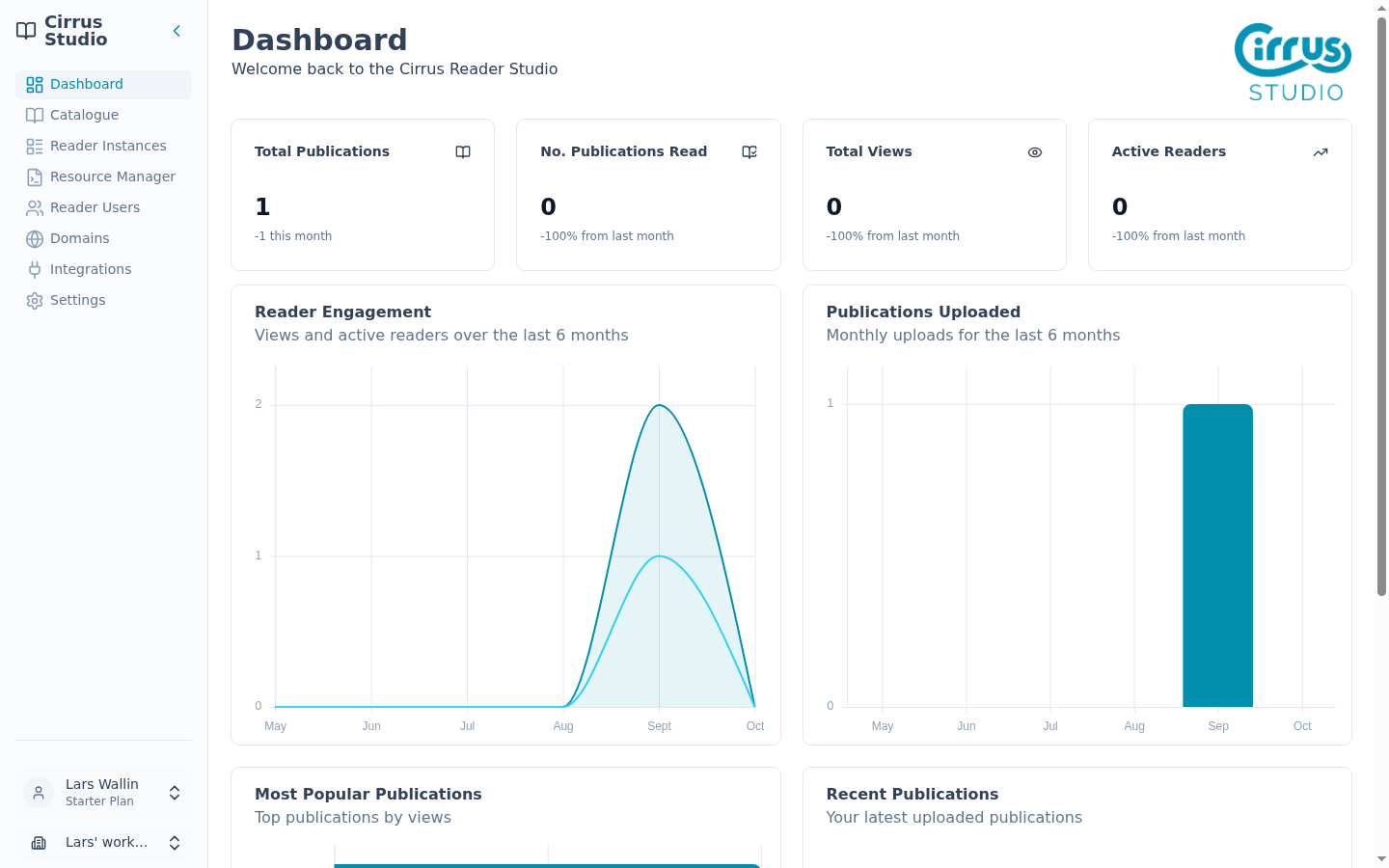
The Dashboard is the first page you'll see after signing in. It gives you a quick summary of what is happening in your workspace. To return to it at any time, click Dashboard in the menu.
6.1 The summary cards
Four cards across the top show the headline numbers:
| Card | What it shows |
|---|---|
| Total Publications | How many publications are in your catalogue. The line underneath ("±N this month") compares this month's uploads with last month's. For example, "-1 this month" means one fewer upload than last month. It does not mean a publication was removed. |
| No. Publications Read | How many different publications readers have opened this month. |
| Total Views | How many times publications have been opened this month. |
| Active Readers | How many different people have been reading this month. |
The last three cards also show the change compared with last month, as a percentage.
6.2 The charts and lists
- Reader Engagement: views and active readers for each of the last 6 months. Hover over the chart to see the exact numbers for a month.
- Publications Uploaded: how many publications were uploaded in each of the last 6 months.
- Most Popular Publications: the publications with the most views. Click a title to open it in the Catalogue. If nobody has read anything yet, it says, "No publication reading activity yet."
- Recent Publications: your three newest publications, with author, upload time and status (Live or Draft). Click the arrow next to one to open it, or click View All Publications to go to the Catalogue.
6.3 Bandwidth alerts
If your readers are close to using up your plan's monthly data transfer allowance, a warning appears at the top of the Dashboard:
| When | Message |
|---|---|
| 80% used | "80% of bandwidth allowance used" |
| 90% used | "90% of bandwidth allowance used" |
| 100% used | "Bandwidth allowance exceeded". Readers may be blocked from opening publications. |
Each alert has two buttons: View usage (to see the details) and View subscription (to change plan). These both require admin level access so you may need to request access to this information.