11. Domains
The Domains page lists the websites that are allowed to show your Reader Instances. A domain is the main part of a website address, such as www.example.com or reader.example.com.
Important: Cirrus strongly recommends that you add your domains here and then select them in the Permitted Domains setting of every Reader Instance. A Reader Instance with no permitted domains can be shown on any website, including someone else's.
Click Domains in the menu.
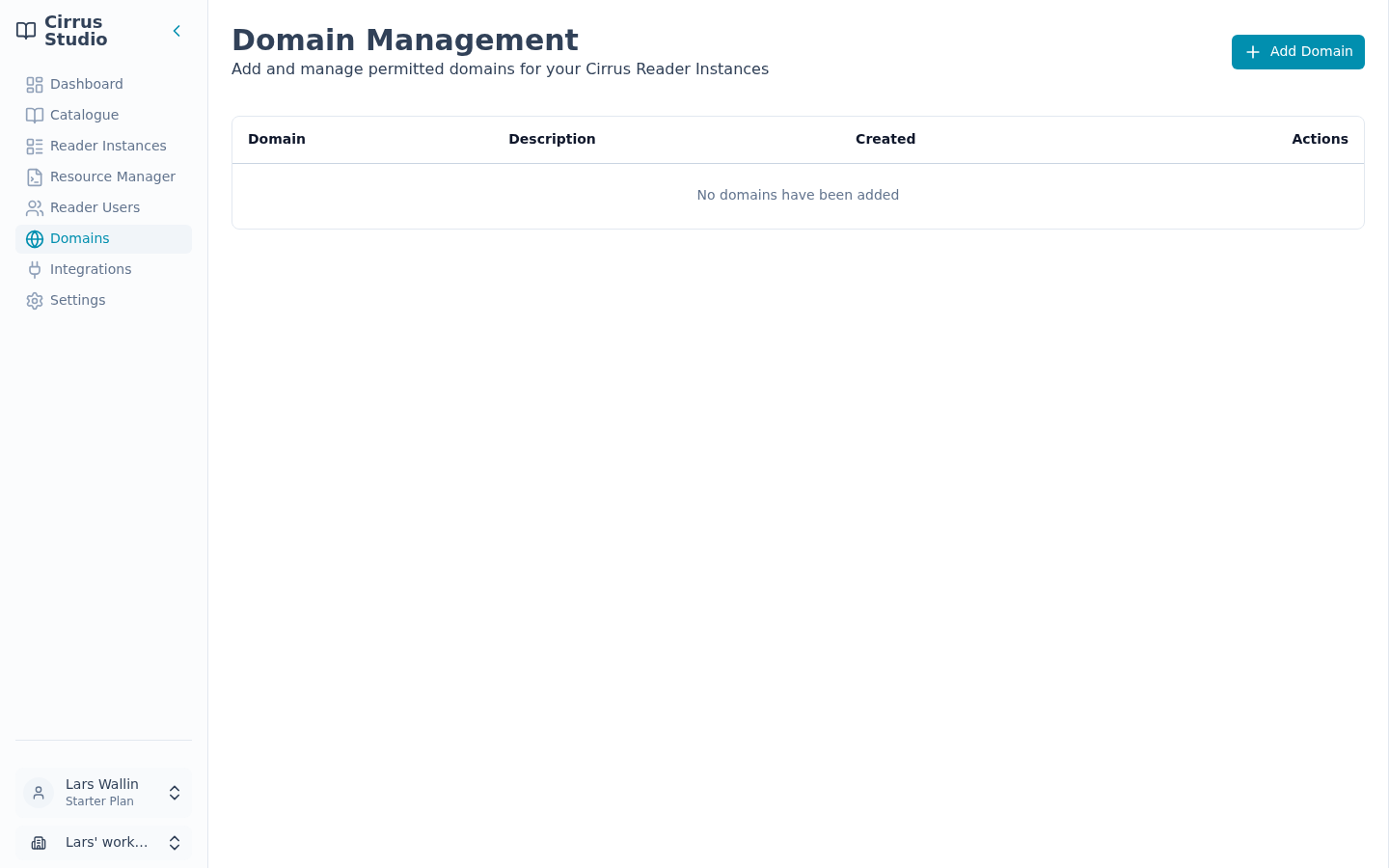
The list shows each Domain, its Description and when it was Created. If you have none yet, it says, "No domains have been added".
11.1 Add a domain
- Click Add Domain.
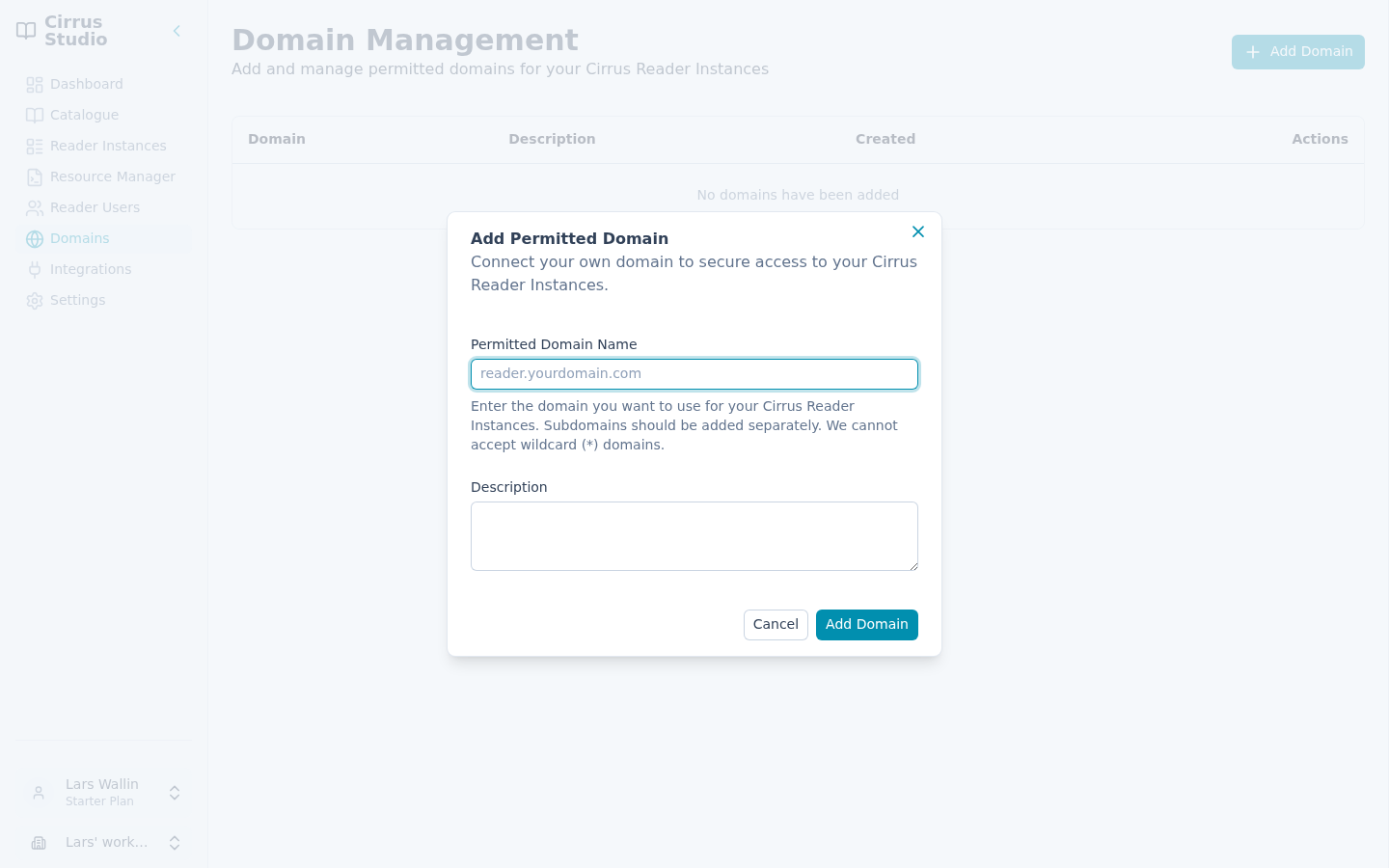
- In Permitted Domain Name, enter the web address without
https://or any path. For example, enterreader.example.com, nothttps://reader.example.com/books. - Optionally, add a Description (up to 500 characters), such as "Main online shop".
- Click Add Domain.
Rules for domains:
- Subdomains must be added separately.
example.com,www.example.comandshop.example.comare three different domains. Add each one that will show your Reader Embed. - Wildcards are not accepted. You cannot enter
*.example.com. - If the address is not valid, you see "Enter a valid domain (e.g. reader.example.com)".
Then open each Reader Instance that should appear on this website and select the domain under Permitted Domains. See Details tab.
11.2 See which instances use a domain
Click a domain in the list to open its Properties panel:
- Details: the hostname (the web address), description and when it was created and last updated.
- Reader Instances: the instances that list this domain, with links to them. If none do, it says, "This domain is not used by any Reader Instances."
11.3 Edit or delete a domain
Open the domain's ⋮ menu:
- Edit: change the description. The web address itself cannot be changed ("The hostname cannot be changed after a domain has been created."). To use a different address, add a new domain.
- Delete: confirm "Are you sure you want to delete this domain? You will no longer be able to display publications on this domain."
Note: You cannot delete a domain that a Reader Instance is using ("Permitted domains in use cannot be deleted."). First remove it from the Permitted Domains of those instances (the Reader Instances tab of the domain's Properties panel shows which are available).