13. Reader Users
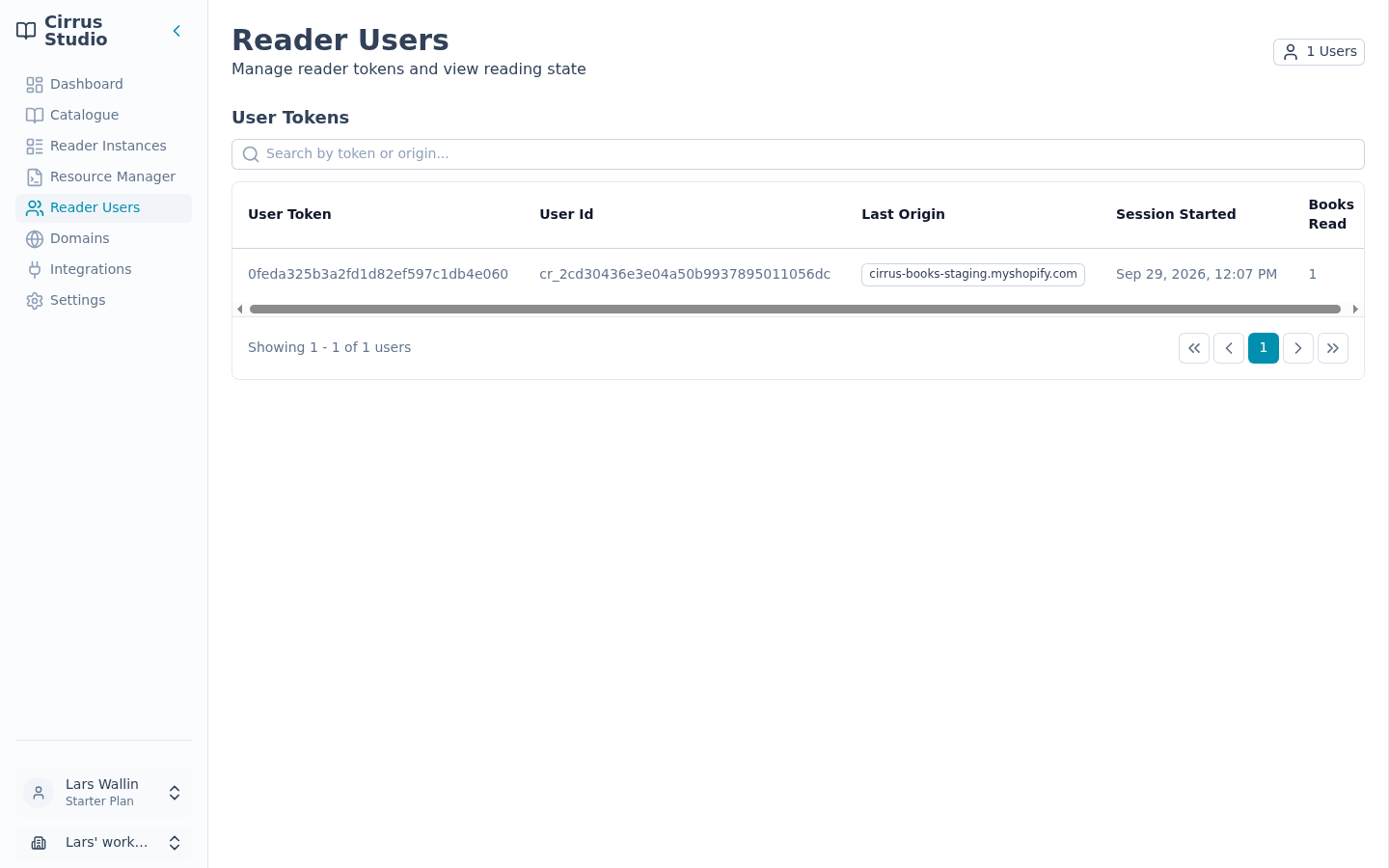
The Reader Users page shows the people who have opened your publications through a Reader Instance on your website, and how far they have got. It is for information only; you cannot change or remove readers here. Click Reader Users in the menu.
13.1 The list of readers
The number of readers is shown next to the page title. Each row shows:
| Column | What it shows |
|---|---|
| User Token | An anonymous code that Cirrus gives to each reader's device and browser. |
| User Id | The identifier your website passed in the embed code, such as a customer number. Empty if your website does not pass one. See User ID. |
| Last Origin | The website where they last read. |
| Session Started | When they last started reading. |
| Books Read | How many different publications they have opened. |
To find a reader, type part of their user token or a website address in Search by token or origin.... The list shows 10 readers per page; use the page buttons at the bottom to move between pages.
13.2 A reader's details
Click a reader to open their Properties panel.
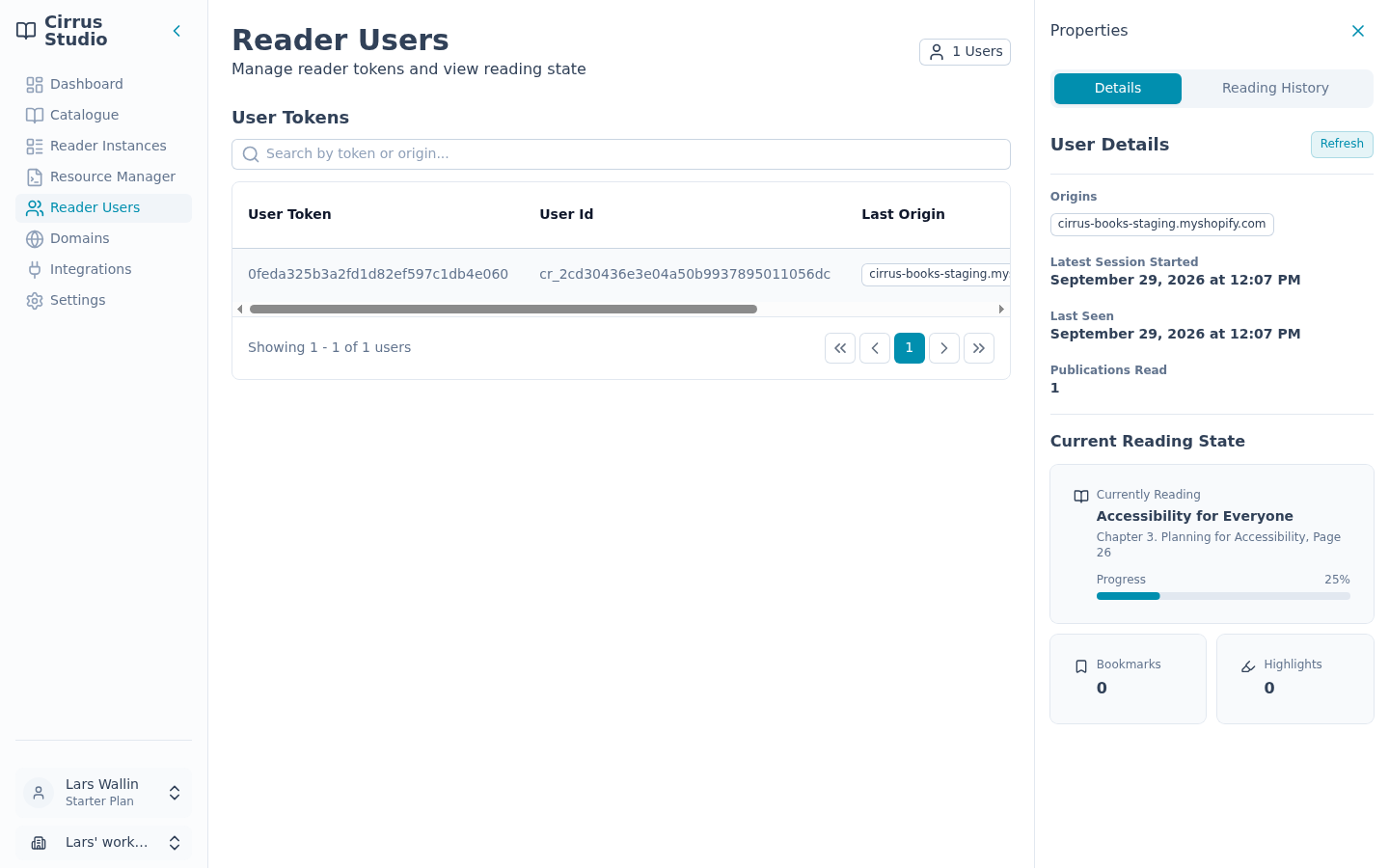
The Details tab shows:
- Origins: the websites where they have read.
- Latest Session Started and Last Seen.
- Publications Read.
- Current Reading State: the publication they are reading now, where they are in it (for example, "Chapter 3. Planning for Accessibility, Page 26") and their Progress as a percentage.
- How many Bookmarks and Highlights they have made.
Click Refresh to load the latest information.
The Reading History tab lists each publication the reader has opened, with when they first and last viewed it, their progress, the number of reading sessions, and their bookmarks and highlights. If they have no history yet, it says "No reading history".